
Streamex App Download for Android and iOS

Get the Streamex movie and TV discovery app from trusted sources. Compare Android package details, open the iPhone listing, and follow a clean install checklist before you download.

Streamex app download guide logo

Streamex

iOS 2.0 / Android listings vary iOS 13.2 MB / Android varies Updated 2026
Download Streamex on App Store Check Android App Listing

Verify developer, package name, version, and permissions before installing any Android APK.

App Name
Streamex / StreameX
Category
Entertainment, movie discovery
Platforms
Android, iPhone
Price
Free listing
Android Package
com.streamex and related variants
iOS Requirement
iOS 17.0 or later
Main Use
Discover movies, trailers, watchlists
Site Status
Independent guide
Streamex app download homepage preview with movie discovery cards

Streamex App Information

A quick fact table for users who want to confirm they are looking at the right Streamex app before downloading.

Official iOS listing Streamex: Movies & TV Shows
Android availability Store and APK index listings vary
Known Android requirement Android 7.0+ on current indexes
Known iOS size 13.2 MB
Content type Movie and TV recommendations
Downloads hosted here No direct APK hosting

Streamex.blog does not claim to be the app developer and does not certify third-party APK files. Use store pages when available, and compare package names carefully when researching Android downloads.

Streamex Screenshots and App Preview

The download page focuses on app discovery, trailers, watchlists, and a simple path to trusted source checks.

Streamex app movie discovery preview
Streamex watchlist and trailer planning preview
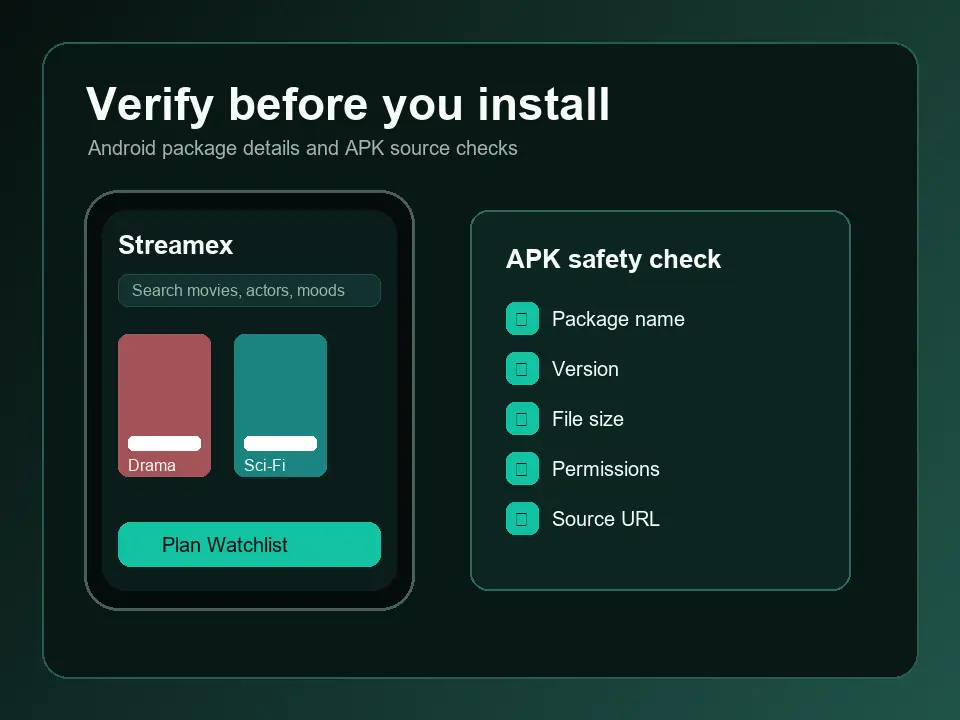
Streamex Android download verification checklist

How to Download and Install Streamex

Step 1

Choose the right source

For iPhone, use the App Store listing. For Android, start with the Google Play package page if available, then compare any APK index against the same app name, package name, developer, version, and file size before downloading.
Step 2

Review permissions and app details

Read the version notes, compatibility requirements, privacy information, and requested permissions. Avoid APK files that use unrelated package names, promise premium streaming access, or come from pages with misleading download buttons.

Step 3

Install and keep it updated

Install Streamex from your selected source, open the app, and create watchlists or browse trailers. If you sideload on Android, disable unknown-source installs again after setup and update only from the same verified source.

What is Streamex?

Streamex is positioned as a movie and TV discovery app. Users can browse films and series, watch trailers, explore genres, save titles, and plan what to watch next. It is best described as a recommendation and watch-planning app, not a guarantee of full movie streaming inside the app.

Streamex movie and TV discovery interface preview

Movie night planning and watchlists

The strongest user intent around Streamex is choosing what to watch. A clean download page should help visitors get the app, understand the difference between trailers and full streaming, and use watchlists to organize films for friends, family, or solo viewing.

Streamex watchlist planning screen preview

Android APK safety checklist

Android users often search for Streamex APK, latest version, old version, and package names. Before sideloading, compare the listing name, package identifier, required Android version, update date, file size, and user reviews. Skip any source that makes unrealistic claims or hides the final file origin.

Streamex APK safety checklist preview

Compatibility notes

Current public listings show iPhone support through the App Store and Android availability through package listings. iPhone users should check the iOS version requirement, while Android users should confirm whether their phone, tablet, Android TV, emulator, or TV box supports the package they choose.

Streamex compatibility preview for phone, tablet, and TV

Download Sources to Check

Use official store pages first. Third-party APK indexes are useful for research, but they should not replace your own verification.

iPhone App Store

Open the App Store listing for Streamex: Movies & TV Shows, then review developer, ratings, privacy labels, compatibility, and version history before downloading.

Open App Store

Android Store Package

Check whether the Android package page is available for your country or device. If it is unavailable, avoid guessing from unrelated packages.

Check Google Play

APK Index Research

If you compare APK index pages, treat them as references. Match package name, version, file size, update date, hashes, and user feedback before installing.

View APK reference

Pros, Limits, and Safety Notes

A practical Streamex download page should help users decide quickly without hiding the tradeoffs of store listings and APK sideloading.

Good reasons to try it

  • Helps discover movies and TV shows before choosing what to watch.
  • Supports trailers, watchlists, genres, and viewing plans.
  • Has iOS availability through a public App Store listing.
  • Android users can compare package details before deciding.

Check before installing

  • Android listings may vary by package name and source.
  • Third-party APK downloads require extra caution and device security checks.
  • Some users may expect full movie playback, while listings emphasize discovery and trailers.
  • Store availability, version numbers, and file sizes can change.

Streamex Download FAQ

Is Streamex available for iPhone?

Yes. A public App Store listing exists for Streamex: Movies & TV Shows. Before downloading, review the developer name, ratings, privacy labels, iOS requirement, and version history on the App Store.

Can I download Streamex APK for Android?

Android users search for Streamex APK, but public listings can vary by package name and source. Prefer Google Play when available. If you research an APK index, compare the package name, version, file size, update date, hash, and permissions before installing.

Does Streamex let me watch full movies?

Public app descriptions emphasize movie and TV discovery, trailers, watchlists, recommendations, and planning what to watch next. Do not assume every title is fully streamable inside the app.

Is Streamex.blog the official developer website?

No. Streamex.blog is an independent download and information guide. It links to public app source pages and provides install guidance, but it does not claim ownership of the Streamex app.

What should I check before sideloading Streamex on Android?

Check the package name, developer, version, file size, Android requirement, requested permissions, reviews, hashes when available, and whether the download button leads to the file you expect. Re-enable normal Android security settings after installation.

Why do different Streamex Android pages show different versions?

Several public Android listings use similar Streamex naming. That can happen when packages differ, indexes mirror different builds, or listings are region-specific. Treat mismatched package names as a reason to slow down and verify.

Can I use Streamex on Android TV or PC?

Some Android APK packages may run on tablets, TV boxes, or emulators, but support depends on the exact package and device. Confirm compatibility on the source page before trying it on Android TV, Fire TV, Windows emulators, or macOS.

How do I update Streamex safely?

Update from the same trusted source you used for installation. iPhone users should use the App Store. Android users should avoid mixing APK sources unless they have verified that package name and signing details match.

Ready to get Streamex?

Use the store listing first when possible, then keep this page handy for Android package checks, install notes, and compatibility reminders.